(part number H10730)
1. Unplug the table
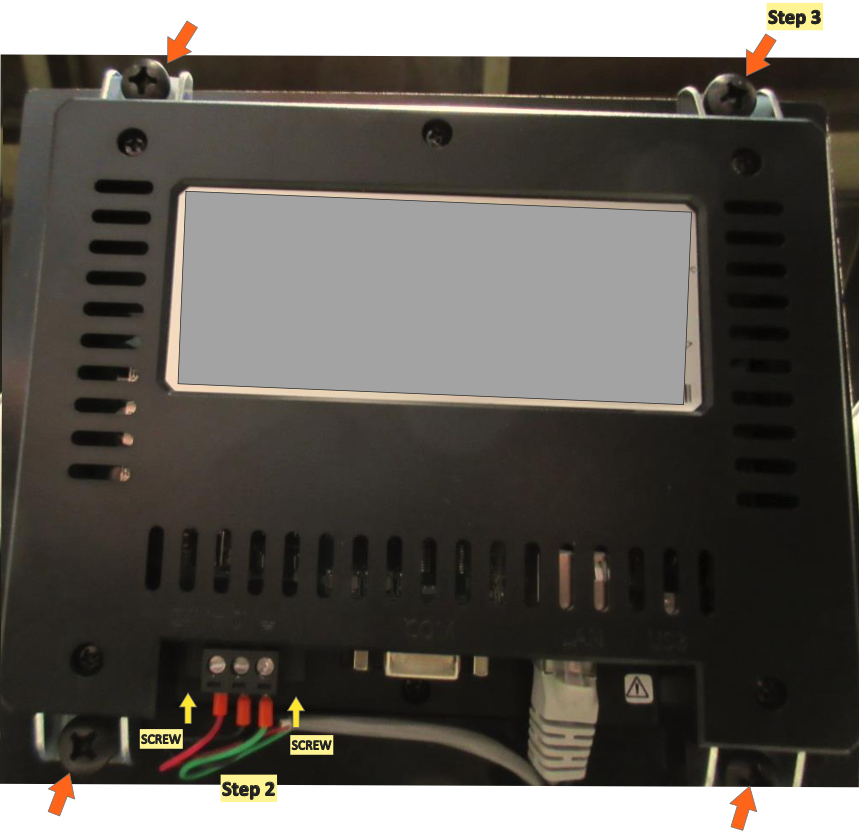
2. Disconnect the two connectors:
a. Squeeze the tab on the side of the gray connector and pull it straight out.
b. The connector with the three colored power wires is secured by a small screw on each side of the connector entering from the same direction as the wires. Loosen the screws and pull the connector straight off.
3. Remove the HMI from the plastic frame by removing the 4 screws to release the 4 brackets.
4. Reverse the first 3 steps to install the new HMI.