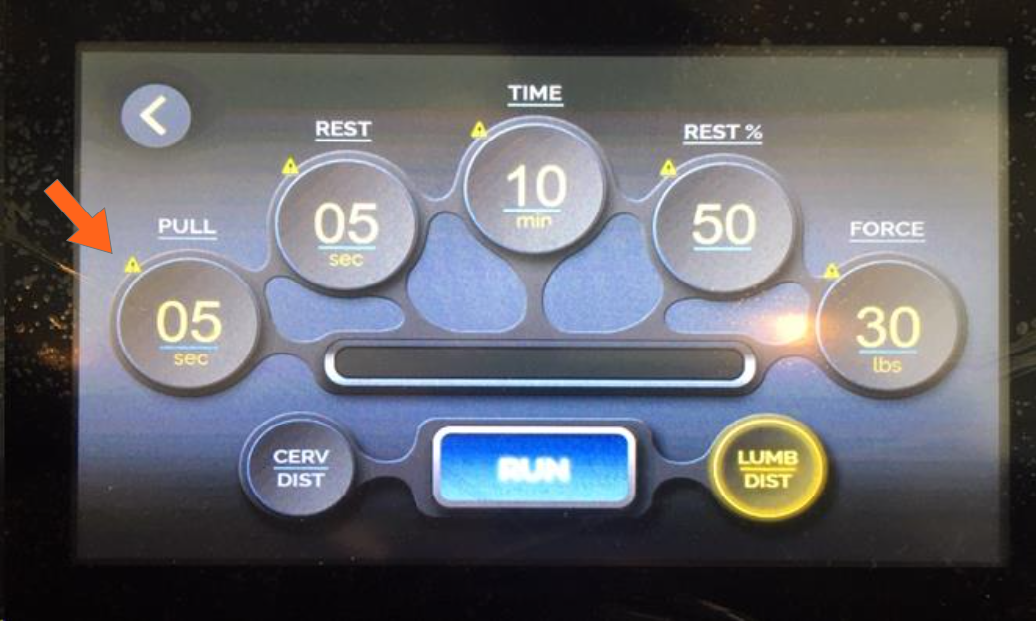
When the table does not function correctly and yellow triangles appear on the touchscreen as shown in the photo below, it means communication has been broken between the touchscreen and the PLC.
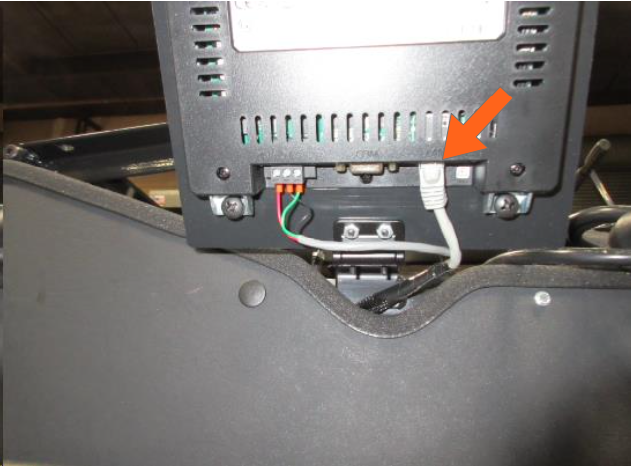
You will need to check both ends of the communication cable to make sure there is a good connection.
1. The first location to observe is at the touchscreen. Make sure the ethernet cable is connected properly.
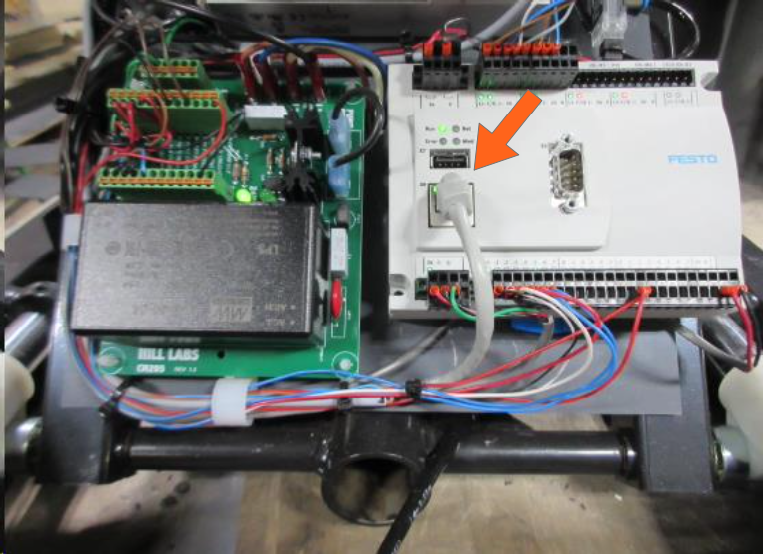
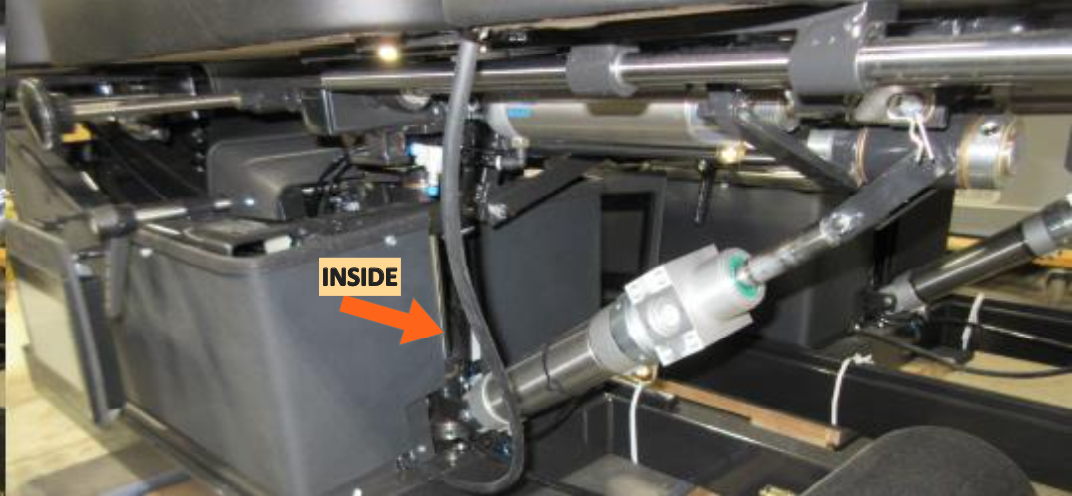
2. The second location is the PLC located just inside the opening at the foot end of the table
The ethernet cable should be connected to the PLC as shown below: