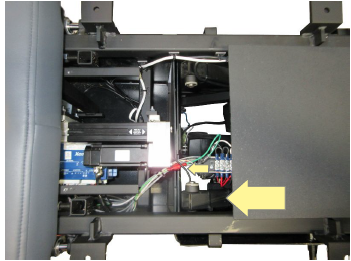
If the connector bringing power to the side of the tablet does not have a light that is illuminated on it but you can hear other components inside the table then focus on the cords to the power supply.
UNPLUG THE TABLE.
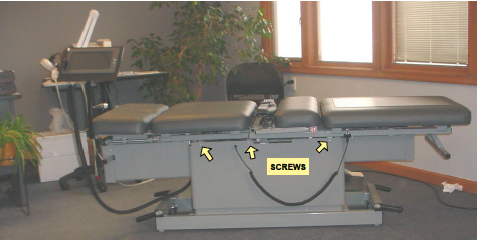
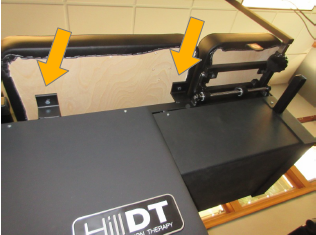
To access the base remove the six screws that secure the upper section of the plastic skirt to the steel frame. There are three screws on each side as shown in Photo 1. Also remove the large chest cushion. The location of the four bolts is shown in photo 2. If the table is in the lowest height position a hand can still reach under the frame to check the connections.
Remove these two bolts on each side to remove the chest cushion.
The power supply is accessible even with height at the lowest.
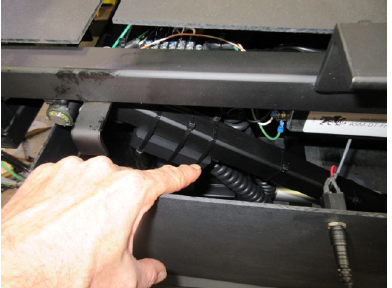
A. Check two connections.
- The first is to make sure the cord is still plugged into the bottom of the power supply.
- The next step is to verify the wires bringing power to the power supply have not broken from their connector where they are crimped.
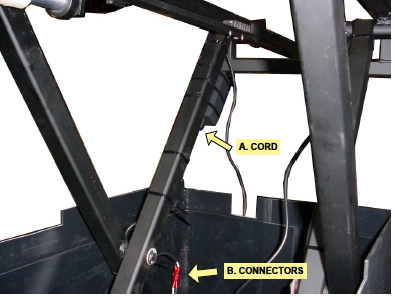
B. Broken wires.
This view is the area where the chest cushion was removed. The large arrow in the photo indicates the power supply for the tablet. The small arrow shows the route of the cable toward the head end of the table. It routes under the cervical distraction actuator. Check the cable to see if it got pinched or is broken.
If everything appears OK then the tablet power supply itself may need to be replaced.