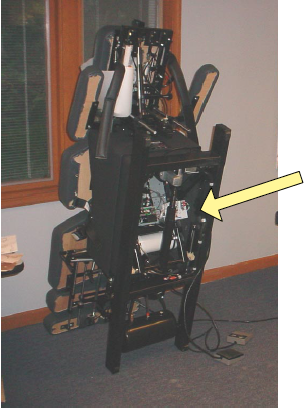
The Click PLC can be accessed from the bottom of the table, as shown. The other option is for the table to remain flat on the floor and the screws removed from the plastic base enclosure.
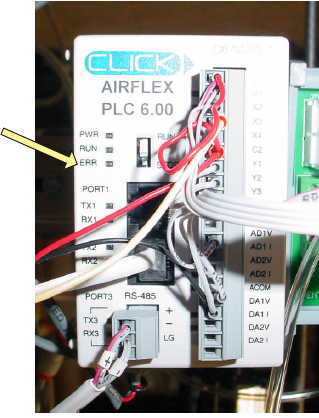
If the red ERR light is flashing follow these steps to reset the unit.
- Unplug the table. This is a MUST! Step 2 will damage the PLC if you do not unplug the table.
- Toggle the switch located to the right of the blinking light from RUN to STOP and back to RUN again. Make sure the switch is fully clicked in the RUN position.
- Plug the table in again.