There is a trap door on the back of the touchscreen. Under the door there are 2 DIP switches next to the battery. The normal position of the switches should be OFF.
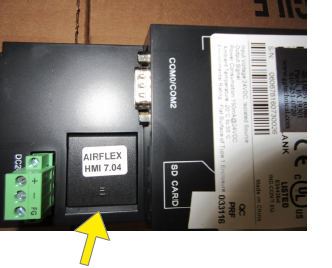
The door can be opened by lifting this edge with a fingernail.
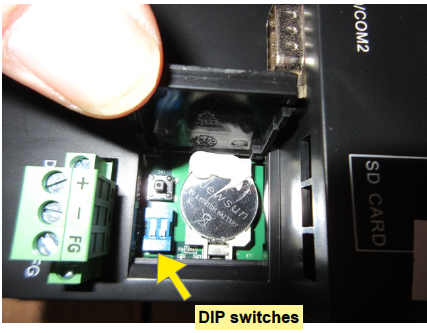
To disable/enable the beeper:
- Unplug the table power cord
- Open the trap door on the back of the touchscreen.
- Place both DIP switches in the ON position
- Plug in the table power cord. The touchscreen will be in Set-up mode
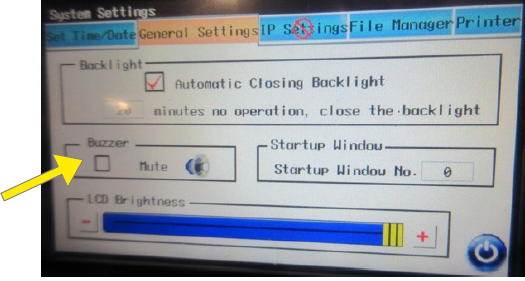
- Select the "General Settings" tab at the top
- Select the "Mute" box to disable buzzer
- Unplug the table power cord
- Place both DIP switches in the OFF position
- Plug in the table power cord. The table is ready for use